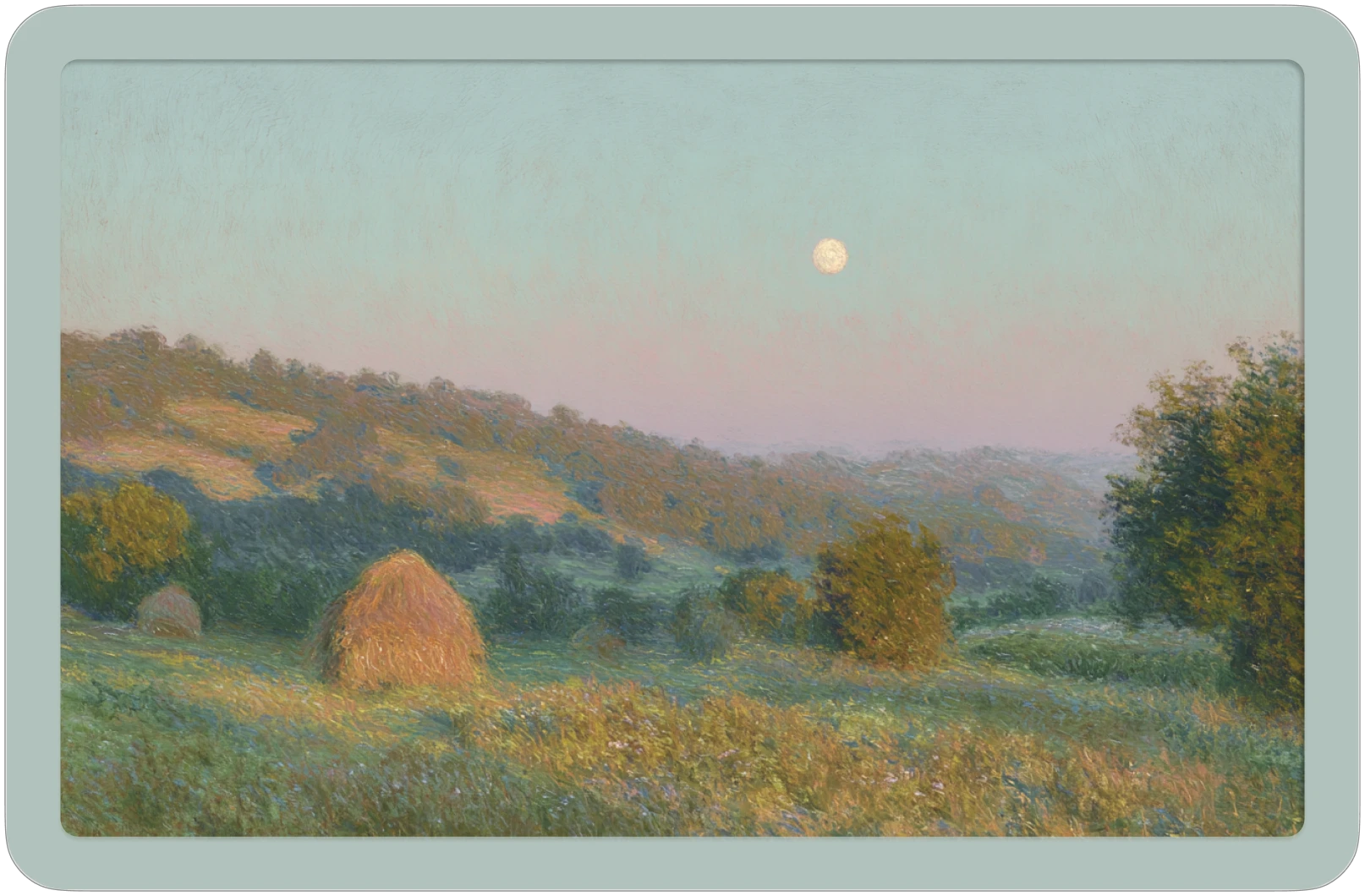
Somware 2025 – Present Solo founder

MoodiBoard: ambient art that knows your day.

A living art platform where the visuals on your screen are driven by real-time signals you define, or that a generative AI agent selects for you. Built solo: product strategy, design, and full-stack engineering.

Built entirely by 1 person Product strategy · Design · Full-stack engineering
Stack Full-stack React · Next.js · Python · self-hosted generative image pipeline
AI involvement Agentic Signal selection and image generation run autonomously; no manual curation needed.
Dev workflow 100% agentic Claude Code · Figma MCP · v0

What I built

  • Designed the core concept: the UI is the data: signal-driven generative art that creates an ambient portrait of your day.
  • Architected and built the full stack solo: React + Tailwind frontend, Next.js API layer, Python image generation pipeline.
  • Built a self-hosted generative image pipeline for real-time, controllable output; no cloud API costs at scale.
  • Integrated a generative AI agent that selects signals autonomously; users can define their own or let the agent choose.
  • Developed entirely within an agentic workflow: Claude Code for engineering, Figma MCP for design, v0 for component scaffolding.
Index / Selected work / № 02

MoodiBoard: ambient art, signal-driven.

CompanySomware
Year2025 – Present
RoleFounder · Designer · Engineer
TagsProduct Design · Generative AI · Full-Stack
The concept

What if the art on your wall knew what kind of day you were having? MoodiBoard is a living art platform where the visuals on screen are driven by real-time signals (weather, time, calendar events, music), either defined by the user or selected autonomously by a generative AI agent. No manual curation. No static images. A self-updating ambient portrait of your day, generated fresh from a self-hosted generative image pipeline. I am the only person building it.

Solo Full-stack build

Product strategy, visual design, and engineering (React, Next.js, Python, Vercel), owned entirely by one person.

Agentic Signal selection

A generative AI agent reads context and chooses which signals to weight; no human curation required for the system to run.

100% Agentic dev workflow

Built entirely with Claude Code, Figma MCP, and v0; the development process itself runs on the same agentic principles as the product.

Figure 01: System architecture overview
Fig. 01Signal pipeline to generated output. Signals enter at left, the AI agent weights them, the prompt pipeline feeds Stable Diffusion + ControlNet, and the result updates the canvas.
§ 01

The problem

Consumer art and ambient displays have never solved the staleness problem. Every digital art frame ships with a static library. You pick a few images, they rotate, and six months later you've stopped seeing them. The art becomes wallpaper.

The more interesting problem is the inverse: what if the art couldn't be static? What if the generating system knew something true about you (not demographics, but real-time context) — and produced something that had never existed before?

The constraint that makes this hard: if the output changes constantly but arbitrarily, it's noise. The signal-to-output mapping has to feel coherent. Weather shouldn't just swap color temperatures randomly. A high-stress afternoon shouldn't look identical to a calm morning. The generative system needs to encode meaning, not just variation.

§ 02

Constraints

These shaped every technical and design decision I made.

  • Solo build. No team, no investors, no budget for API costs at scale. Every architectural choice had to be sustainable by one person.
  • No cloud image generation. Midjourney and DALL·E costs don't survive real-time, per-user image generation. Self-hosted generation was the only path to a viable unit economics model.
  • The product must feel ambient, not interactive. Heavy UI defeats the point. The output is the interface; controls should be minimal and disappear.
  • Designing for emergent output. The designer's usual contract ("I decide exactly what this looks like") doesn't apply here. You design the system that generates output, not the output itself.
§ 03

Designing for emergence

The design challenge isn't the UI; it's the signal-to-output mapping. The question is always: when signal X changes, what should change in the image, and by how much?

Early versions surfaced the problem immediately: small signal changes produced jarring visual shifts. A cloud passing over the sun shouldn't transform the entire canvas. Getting the transitions to feel coherent (responsive without being reactive) is where most of the design iteration has gone.

"It feels like my room, but more accurate."

That's the response I'm calibrating toward. Not "this is beautiful" (that's table stakes for any generative art system). The meaningful feedback is when someone describes the output as theirs, as if the system understood something true about their context. That's when the signal-to-output mapping is working.

The interface design follows the same principle: as minimal as possible, disappears when not needed. The canvas is primary. The controls exist to configure the signal sources and override the agent when you want to, not to be the product.

§ 04

The agentic dev workflow

The development process itself runs on the same agentic principles as the product. I use Claude Code as the primary engineering tool; it reads the full codebase, proposes implementations, and executes multi-step tasks including file edits, test runs, and debugging loops. Figma MCP connects the design environment directly into the build pipeline. v0 scaffolds component implementations from design specs.

This isn't a novelty. A solo build that would otherwise take two engineers is tractable because the agentic tooling handles the implementation layer while I operate at the architecture and product layer. The constraint is the same as any delegation: you have to be precise about what you want, and you have to review what you get. The difference is the speed of iteration and the breadth of what one person can cover.

  • Claude Code handles the full engineering loop: implementation, debugging, refactoring, documentation.
  • Figma MCP keeps design artifacts live and connected; changes in Figma propagate into the component library without manual translation.
  • v0 converts design specs into initial component scaffolds, which Claude Code then refines and integrates into the wider system.
§ 05

What I deferred

Solo builds require the same cut discipline as team builds. Several features that feel obvious didn't make the first pass.

  • Multi-panel support. The obvious next surface: multiple canvases in a room, synchronized or independent. The signal routing complexity isn't worth solving until the single-canvas experience is fully calibrated.
  • Social sharing. A natural viral hook. Deferred because sharing a living image doesn't make sense; you'd share a static snapshot, which defeats the point. The format problem isn't solved yet.
  • Third-party signal integrations. Spotify, calendar, smart home APIs. Each adds integration surface and auth complexity. The current signal set (weather, time, location) is sufficient to prove the core behavior. Integrations come after the model is validated.
Figure 02: Canvas + controls layout
Fig. 02The canvas-primary layout. Controls appear on hover and retract when not in use; the art surface is uninterrupted by default.
§ 06

What I'd do differently

I underestimated the signal-to-output calibration time. The technical architecture came together faster than expected; getting the visual mappings to feel coherent (not arbitrary) is where most of the iteration time has gone. I'd have built a dedicated calibration testbed before writing any frontend, instead of calibrating inside the production system.

I'd also have prototyped the agent layer's signal-weighting logic in isolation before integrating it. The hardest debugging sessions have been untangling whether a poor output came from the agent's weights, the prompt translation layer, or the generation pipeline itself. Cleaner seams between those systems would have made failures readable earlier.

The agentic dev workflow was the right call from day one. I wouldn't change it. The only adjustment is using it more aggressively earlier; I spent too long writing implementation code by hand in the first two weeks before fully committing to the Claude Code loop.

[ Case study № 02 ]

MoodiBoard. Ambient art. Signal-driven.

CompanySomware
Year2025 – Present
RoleFounder · Designer · Engineer
DurationOngoing · solo build
StackReact · Next.js · Python · Generative image pipeline · Vercel
Dev toolsClaude Code · Figma MCP · v0

Problem

Digital art displays are static. Libraries stale out. The ambient surface becomes invisible. Meanwhile, every real-time signal about a person's day (weather, schedule, mood, music) goes unused by every display in the room.

Needs

Generative output that feels coherent, not arbitrary. Signal-to-visual mappings that encode meaning rather than random variation. An interface that disappears (the art is the product, not the controls).

A cost model that works at solo scale, which rules out cloud image generation APIs.

Solution

Self-hosted generative image pipeline for cost-viable real-time generation. An AI agent layer that reads signal context and drives visual output autonomously. An agentic dev workflow that makes a solo full-stack build tractable.

Design for the system, not the output.

Figure 01: Signal pipeline to canvas
Fig. 01 · Signal pipeline to generated output. Real-time context enters at left, drives the generative image pipeline, and updates the canvas. MoodiBoard · 2025
Decision 01Self-host generation

Self-hosted generative image pipeline instead of a cloud API.

DALL·E, Midjourney, and comparable APIs price out real-time, per-user, continuous generation at any scale. Self-hosting was the only path to a unit economics model that works without VC funding (and gives full control over the generation behavior that defines the product's core experience).

Trade-off

Infrastructure complexity the cloud APIs abstract away is now mine to own. GPU memory, model loading, inference latency, versioning (all of it). The system is less portable as a result, and the operational surface is larger than it would be with an API call. Worth it: the economics only work this way.

Decision 02Canvas-primary UI

Controls disappear by default. The canvas is the entire interface.

Every pixel of chrome the UI shows is a pixel competing with the art. The controls layer appears on hover and retracts on inactivity. Settings live in a modal triggered by a single icon (visible only when you're in configuration mode, invisible when you're not). This forced every control decision through the question: is this necessary, or is this feature creep that breaks the ambient quality?

Trade-off

Discoverability suffers. New users don't know the controls exist until they hover. The first-run experience needs explicit guidance that the rest of the product deliberately lacks. I haven't solved this cleanly (the onboarding and the ambient experience are in tension, and I've kicked the resolution to a later iteration).

Decision 03Gradual signal response

Signal changes produce gradual visual shifts, not immediate regeneration.

Early builds had a direct mapping problem: one signal change → one new image. A cloud appearing meant an immediate canvas transformation. This felt wrong — jarring, no sense of continuity. Getting the system to feel responsive without feeling reactive is the core calibration challenge.

Trade-off

The right response curve varies by signal type; a slow weather shift should behave differently from a calendar event starting. Calibrating this across signal types is ongoing work. The current implementation is a reasonable approximation that still needs refinement at the edges.

Decision 04Agentic dev workflow

Claude Code, Figma MCP, and v0 as the full development loop (not as supplements to a conventional workflow).

This isn't using AI tools to speed up conventional development. The architecture, implementation, and iteration all run through the agentic loop. I operate at the product and architecture layer; Claude Code handles the implementation layer. Figma MCP keeps design artifacts live and connected. v0 scaffolds components from specs that Claude Code then integrates. A two-engineer build compressed into one.

Trade-off

The agentic loop requires precise input. Vague prompts produce plausible-looking code that fails at the edges. The cognitive overhead isn't gone (it's shifted from writing implementation code to reviewing and directing it). You have to understand the codebase well enough to catch what the agent gets subtly wrong. Slower than it feels on the first pass; faster overall than writing everything yourself.

If I'd do it again

  1. Build a dedicated calibration environment before writing any frontend. The signal-to-output mapping is the hardest problem in this product and the slowest to iterate on. Running calibration inside the production system means every test cycle touches too many variables at once. Isolated iteration would have compressed months into weeks.

  2. Establish cleaner seams between system layers earlier. When an output is wrong, diagnosing whether it originated in signal collection, the agent layer, or the generation pipeline is harder than it should be. Clearer separation would have made failures readable from day one.

  3. Commit to the agentic dev workflow fully from the start. I spent the first two weeks writing implementation code by hand (old habits). The Claude Code loop is faster and produces better-documented code. The only cost is the habit change. I'd skip the two-week ramp and go all-in on day one.

Previously

№ 01 / Salvaging the Smash MVP.

Read case study